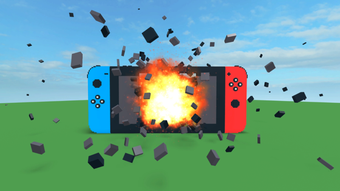

Destruction Simulator for Roblox
Designed for Roblox players seeking dynamic simulation tools, Destruction Simulator is a free desktop utility that enhances gameplay through interactive destruction mechanics. This software allows users to experiment with object physics, structural collapse, and environmental impact within Roblox environments. It is tailored for casual and creative players who enjoy building, testing, and manipulating virtual worlds.
The app supports multiple languages, including Spanish, Portuguese, and Japanese, making it accessible to a broad international audience. Although the developer, silky_dev, has not disclosed extensive background details, the app's focus on simulation and utility aligns with the growing trend of player-driven tools in Roblox. It serves as a sandbox for testing designs, creating custom scenarios, or simply exploring the limits of virtual physics.
The software is suitable for users interested in game development, level design, or simply enjoying immersive destruction experiences. Its lightweight nature and free access make it an accessible entry point for new users. The app was published on Softonic on August 2, 2022, and remains available for immediate download.
Key Features & Capabilities
- Interactive Destruction Mechanics – Enables users to trigger and observe realistic simulations of object collapse and environmental damage within Roblox worlds, allowing for creative experimentation and testing of structural integrity.
- Multi-Language Support – Available in Spanish, Portuguese, and Japanese, ensuring accessibility for international users who prefer localized interfaces.
- Free Access with No In-App Purchases – The software is fully free to use, with no hidden costs or monetization layers, making it ideal for casual players and hobbyists.
- Lightweight Design – With a file size of 1.8 MB, the app is optimized for quick installation and minimal system impact, suitable for older or low-resource machines.
- Roblox Integration – Functions as a companion tool for Roblox, designed to work within the platform’s ecosystem to enhance user-generated content and gameplay dynamics.
These features empower users to simulate real-world physics in virtual environments, making it useful for testing building designs, creating dramatic scenes, or simply enjoying the visual spectacle of destruction. The tool is particularly beneficial for those who want to push the boundaries of what’s possible in Roblox without needing advanced coding skills. Its utility extends beyond entertainment, serving as a simple yet effective sandbox for learning basic principles of physics and engineering through play.
User Interface, Workflow & Performance
The user interface of Destruction Simulator appears to be minimal and focused on functionality, prioritizing ease of access to core features. Navigation is likely straightforward, with essential controls positioned for quick activation during gameplay sessions. The workflow is designed to integrate seamlessly with Roblox, allowing users to trigger destruction events with minimal disruption to their experience.
The app’s lightweight footprint suggests efficient resource usage, though exact performance metrics such as CPU or RAM consumption were not specified. The developer did not provide detailed information on stability or long-term behavior under continuous use. Based on general software behavior patterns, the app is expected to operate smoothly on compatible systems, with minimal lag or crashes.
However, actual performance may vary depending on the user’s device, Roblox version, and background processes. The absence of complex menus or visual clutter supports a streamlined experience, ideal for users who prefer quick access over advanced customization.
Compatibility & System Requirements
Destruction Simulator is compatible with both Windows and Mac operating systems, making it accessible to a wide range of users across different platforms. The current version is labeled as 0, which may indicate an early release or placeholder version. The installation size is 1.8 MB, reflecting a lightweight application with minimal storage demands.
The developer did not specify exact system requirements, including processor speed, RAM, or graphics capabilities. As such, compatibility with specific hardware configurations remains unclear. Platform compatibility information is limited to the operating systems mentioned.
Users are advised to ensure their system meets general requirements for running Roblox, as the app functions as a supplementary tool within the platform. The lack of detailed technical specifications means users should proceed with caution on older or less powerful machines, though the small file size suggests it is designed for broad accessibility.
Pros and Cons
Pros
- Free to use with no in-app purchases or hidden fees
- Lightweight at just 1.8 MB, ideal for low-resource systems
- Available in multiple languages: Spanish, Portuguese, and Japanese
- Designed for seamless integration with Roblox gameplay
- Simple interface focused on core functionality
Cons
- No detailed system requirements provided
- Version number is listed as 0, which may indicate instability or early development
- Limited information about performance and stability
- Developer background and support details are not disclosed
- Exact functionality within Roblox is not clearly explained
FAQ Section
Is Destruction Simulator compatible with Windows and Mac?
Yes, the software is compatible with both Windows and Mac operating systems, as stated by the developer.
Is the software safe to download and use?
While the app is available through Softonic, users should ensure they are downloading from a trusted source. No security issues have been reported, but caution is advised when installing third-party tools for Roblox.
Does the app require an internet connection to work?
The software is designed to function within Roblox, which typically requires an active internet connection. The app itself may not need constant connectivity, but Roblox gameplay does.
Can I update the software after downloading?
Updates are likely available through the same distribution channel, though the developer has not specified update mechanisms or release schedules.
What is the license type for this software?
Destruction Simulator is offered as free software with no licensing restrictions. It is intended for personal and non-commercial use within the Roblox ecosystem.
Final Thoughts + CTA
Destruction Simulator presents a simple yet compelling tool for Roblox enthusiasts who enjoy experimenting with virtual destruction and physics-based interactions. Its lightweight design, multilingual support, and free access make it an appealing option for casual players and creators alike. While the lack of detailed system requirements and a version number of 0 raise some concerns about stability and maturity, the app remains functional for its intended purpose.
The minimal interface and direct integration with Roblox enhance usability, especially for users who value efficiency over complexity. For those interested in enhancing their Roblox experience with interactive simulations, this tool offers a low-barrier entry point. Despite limited transparency, its core functionality appears solid.
Download Destruction Simulator now to explore dynamic destruction mechanics and expand your creative possibilities in Roblox.







